
Writing entries
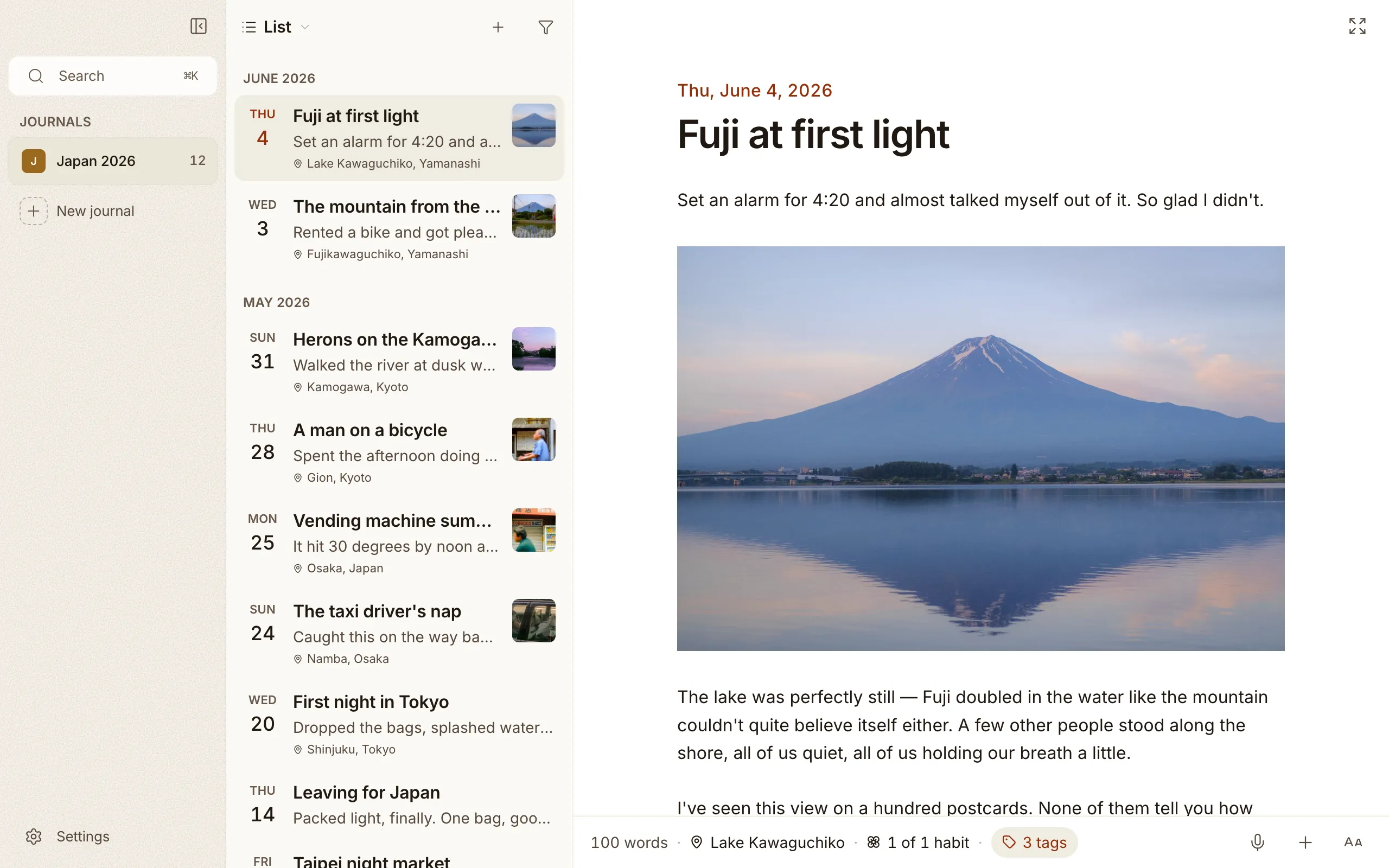
If you’ve used a notes or journaling app before, writing in Cozy will feel familiar. Your entries show up in a list, newest first, and selecting one opens it for writing.
Creating an entry
Section titled “Creating an entry”Make a new entry from the New Entry menu item, or the + button when your journal is empty. You can write as many entries per day as you want. There’s no one-entry-a-day rule.
A new entry’s title defaults to today’s date, but you can rename it to whatever you like: Coffee with Marta, Morning by the river, anything.
Quick entry from the menu bar
Section titled “Quick entry from the menu bar”A small flower icon lives in your menu bar (macOS) or system tray (Windows). Click it and a compact panel drops down with a text area, a journal picker, and a Save button (and on a Mac, a microphone to dictate instead of typing). Hit ⌘↵ (Ctrl+↵ on Windows) and your note lands in today’s entry in whichever journal you picked — appended if one already exists, or created fresh if not.
The panel can open from anywhere with ⌘⇧C (Ctrl+Shift+C on Windows), even when Cozy is in the background. You can change the shortcut or turn the feature off in Settings → System → Quick entry.
Any combination works, all four modifiers included, so a Hyper key bound to Caps Lock records exactly as you press it.
On macOS, closing the main window keeps Cozy running in the background so quick entry always works. The Dock icon comes back the moment you open a window again.
Dictating an entry
Section titled “Dictating an entry”Some days you’d rather talk than type. On a Mac, click the microphone in the bar under an entry, or the one next to Save in quick entry, and start speaking. The words land where your cursor is and keep filling in as you go. Click the microphone again to stop. On iPhone, the microphone sits on the bar above the keyboard.
Cozy punctuates from the whole sentence, not from where you stop for breath. A pause to think doesn’t become a full stop, and the end of what you just said keeps getting tidied up as more arrives. The first time, your Mac asks for the microphone and for speech recognition. Where your language allows it, all of it happens on your Mac itself.
It listens in your keyboard’s language, so switching to a Spanish layout gets you Spanish. To pin one language instead, pick it in Settings → System → Dictation language. While it listens, the button shows which language it’s hearing.
Words Cozy should know
Section titled “Words Cozy should know”Names are what dictation gets wrong most, so each journal keeps a short list of
the ones it should know: Settings → Journal → Words Cozy should know, one
per line. If Cozy keeps hearing a name as something else, write what it hears,
then >, then the word you meant: Marfa > Marta. The list lives in the
journal’s own folder, so it follows the journal to your iPhone, where the page
scanner uses it too.
Writing without a title
Section titled “Writing without a title”If you’d rather just start writing, you can turn off the title line in Settings. Entries skip straight to the body — the date still shows in the toolbar so you know where you are. Your titles are kept quietly in each file even while the field is hidden, so turning it back on later doesn’t lose anything.
Text size
Section titled “Text size”Cozy has five text sizes, Small to Largest, in Settings → Entries. The step you pick scales everything together: the entry, the list, the toolbar and the dates, not just the words on the page. It’s stored with the journal, so the same journal opens at the same size on your other devices.
Changing the date
Section titled “Changing the date”Writing about a different day? Click the entry’s date to change it. The entry moves to where it belongs in your timeline, calendar, and “On this day” memories. A time field sits next to the date, so you can set the hour too, and once an entry has one the date line shows it.
How entries are named on disk
Section titled “How entries are named on disk”Each entry is saved as a Markdown file in your journal folder:
- An untitled entry written today is saved as
2026-06-07.md— the tidy daily-note convention Obsidian uses. - An entry you title is saved with a filename based on that title, like
2026-06-07-coffee-with-marta.md.
Either way, the file holds your writing plus the entry’s details: date, mood, location, tags. More on that in Where your files live.
An empty day
Section titled “An empty day”In the calendar view, click any past day or today to start an entry for that date. Future days stay disabled. Cozy is for what happened, not what’s scheduled.
Moving an entry to another journal
Section titled “Moving an entry to another journal”Right-click an entry (or select several first) and choose Move to journal. Cozy copies the writing and any photos, video, or audio it holds into the journal you pick, and removes them from the old one. Your pictures keep working in their new home.
Export as PDF
Section titled “Export as PDF”Choose File > Export as PDF (⌘P), or right-click an entry in the list. Select several first and they come out in one PDF, oldest first, each starting on its own page.
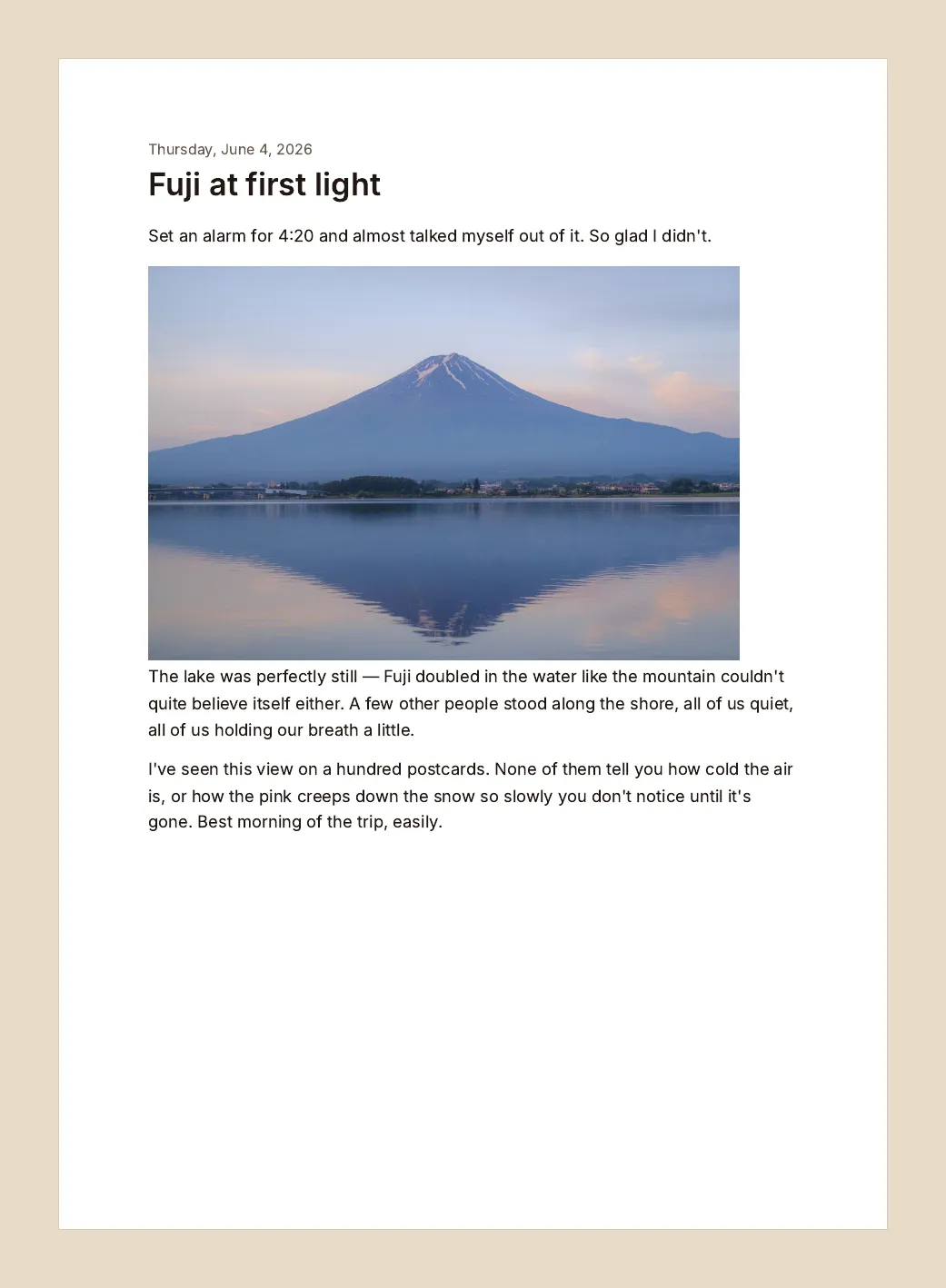
A page looks like the entry does in the editor: galleries in their rows, a video as its first frame, an embedded PDF as its first page, code in colour. No photo takes a page to itself, and the paper is always white, whatever your theme.
On iPhone, tap the button next to Details, or touch and hold an entry in the list. The share sheet opens with the PDF, so you can save it to Files, send it, or print it.
Deleting an entry
Section titled “Deleting an entry”Right-click an entry and delete it. It goes to Recently deleted, at the bottom of the sidebar, and waits there for 30 days. Its photos, video and audio stay with it until it goes.
Recently deleted reads like the rest of the journal: the entries you removed, newest day first, photos and all. Click one to open it and read it through. A line above the entry says how long it has left, with Put it back and Delete now beside it.
To clear the lot at once, use the button next to the Recently deleted title. Confirm once and everything waiting there goes for good, instead of one entry at a time.
On disk, a deleted entry moves into a .trash folder inside the journal, so it
syncs and backs up like everything else. Because every entry is just a file in
your folder, you can also manage entries directly on your computer if you ever
prefer to.
If you start most entries the same way, set up a template so the prompts are waiting for you.