
New Features
- See every journal at once. When you keep more than one, a new “All journals” row sits at the top of the list. Pick it and Cozy pours all of them into a single feed, newest first, each entry wearing a little colored dot so you can tell where it came from. The calendar, the map, On This Day, search, and your filters all span the whole collection until you click back into a single journal. Open any entry and you stay in the feed, and it comes up with its own journal’s trackers and tags so editing across journals feels no different.
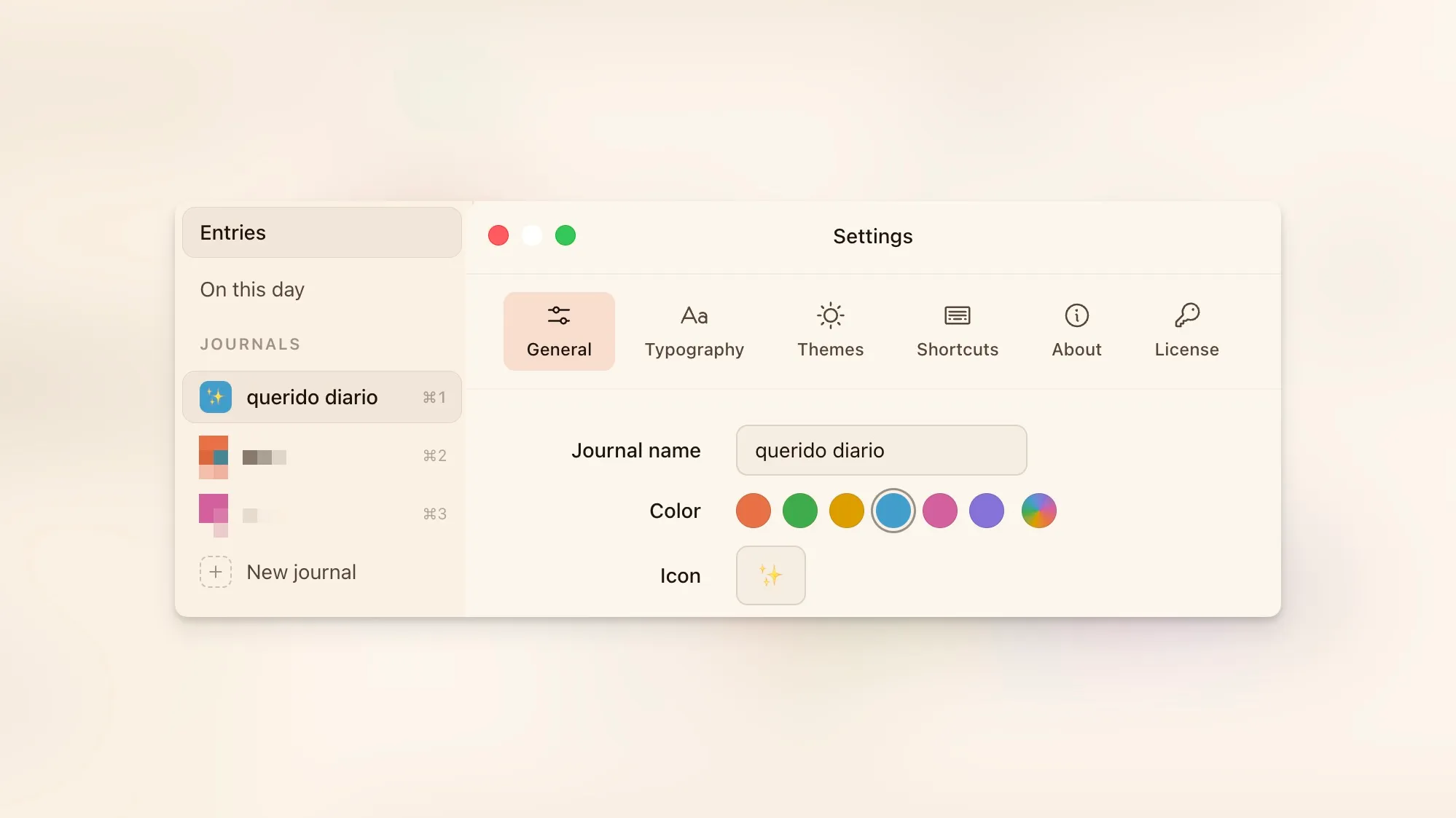
- Give each journal its own color and icon. Right-click a journal in the sidebar and choose Edit, or open Settings, to pick a color from Cozy’s palette and an emoji of your own. The little badge beside each name wears them, so when you keep a few you can tell them apart at a glance instead of reading down the list. Leave the color on Auto and Cozy keeps choosing one for you, the way it always has.
Improvements
- Cozy opens right away. It used to sit on a blank window while it read through your whole journal before showing anything. Now the layout appears the moment you launch, sidebar and toolbar and writing space all there, and your entries fill in a breath later. The wait was longest on big journals, or ones kept in a synced folder like Google Drive, where it could stretch to a second or two. That’s gone.
- Every journal shows how much you’ve written. The entry count now sits quietly at the end of each journal’s row in the sidebar. Hover over one of the first nine and its keyboard shortcut slides in over the number.
- Cozy stops pestering you to reconnect. A valid license now keeps working for two months offline without a word, and only in the final week does a gentle, plain-spoken reminder appear, with a Try again button to re-check the moment you’re back online. Before, being offline a while, or a brief connection hiccup, could flash a stern warning and leave you re-entering your key.
Bug Fixes
- Windows chrome matches Cozy’s colors again. The title bar and window-control buttons were a slightly cooler, grayer shade than the warm cream filling the rest of the app, close enough to notice and off enough to feel wrong. They now use Cozy’s exact surface color, and when a panel like Trackers opens over a dimmed background, the min, max, and close buttons dim along with everything else.
- iPhone photos and sidebar thumbnails hold up on Windows. The Windows build had been packaged with the Mac version of Cozy’s image engine, the part that reads HEIC photos and builds your thumbnails, so on Windows it had nothing to run. Windows now carries its own copy, so those pictures render and the thumbnails generate the way they should.
- Search finds an entry by the name you see. An entry you never titled shows a friendly date in the list, like “Friday, June 5”, but searching that turned up nothing, because Cozy was quietly looking at the blank title underneath it. Search now reads the same titles you do, results and all, so typing what’s on screen finds it.
- Search shows your words, not the file’s plumbing. A match used to spill the hidden header at the top of an entry into its preview line, and could even match on it. Cozy now searches and previews only what you actually wrote.